One address for your scrapers. ProxyDesk juggles the list.
Less proxy plumbing in every script you write
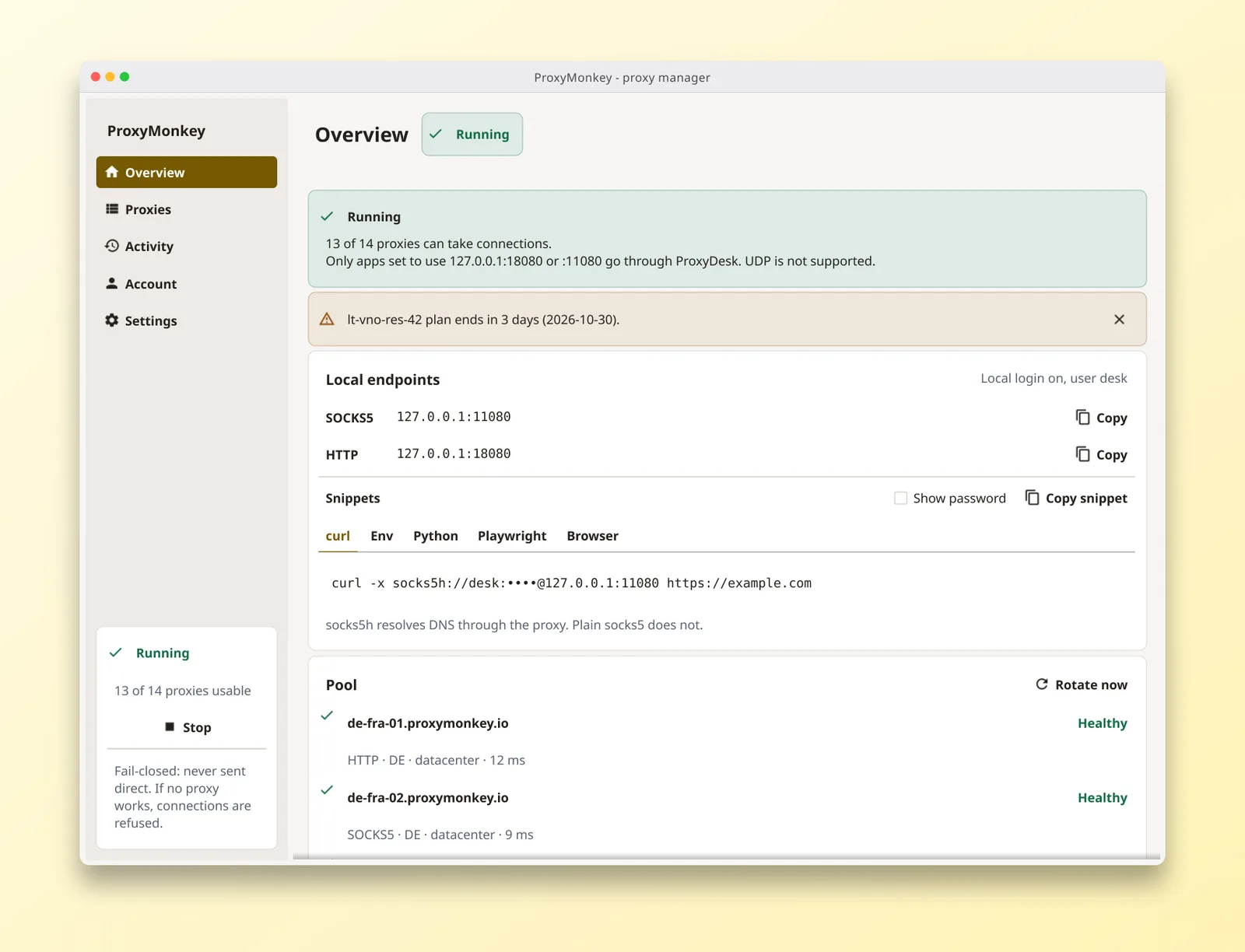
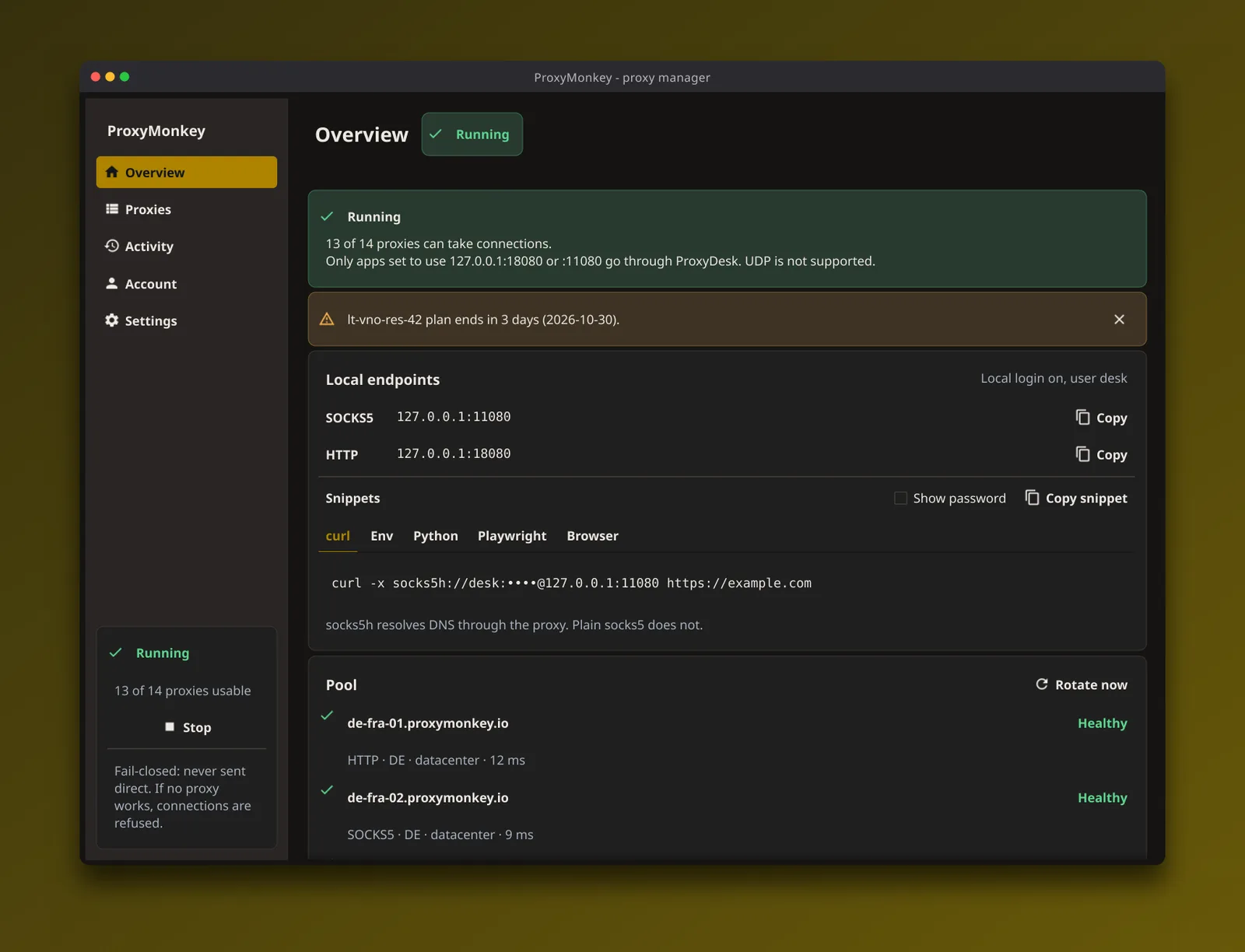
One address, any tool
SOCKS5 on 127.0.0.1:11080 and HTTP on 127.0.0.1:18080 out of the box. Anything with a proxy setting can use it, from a one-line curl to the bot you keep meaning to tidy up.
Rotation you did not have to write
A new proxy for each connection, or stay on one until it fails for targets that care about sessions. Rotate now when you want a fresh one.
Dead proxies get benched
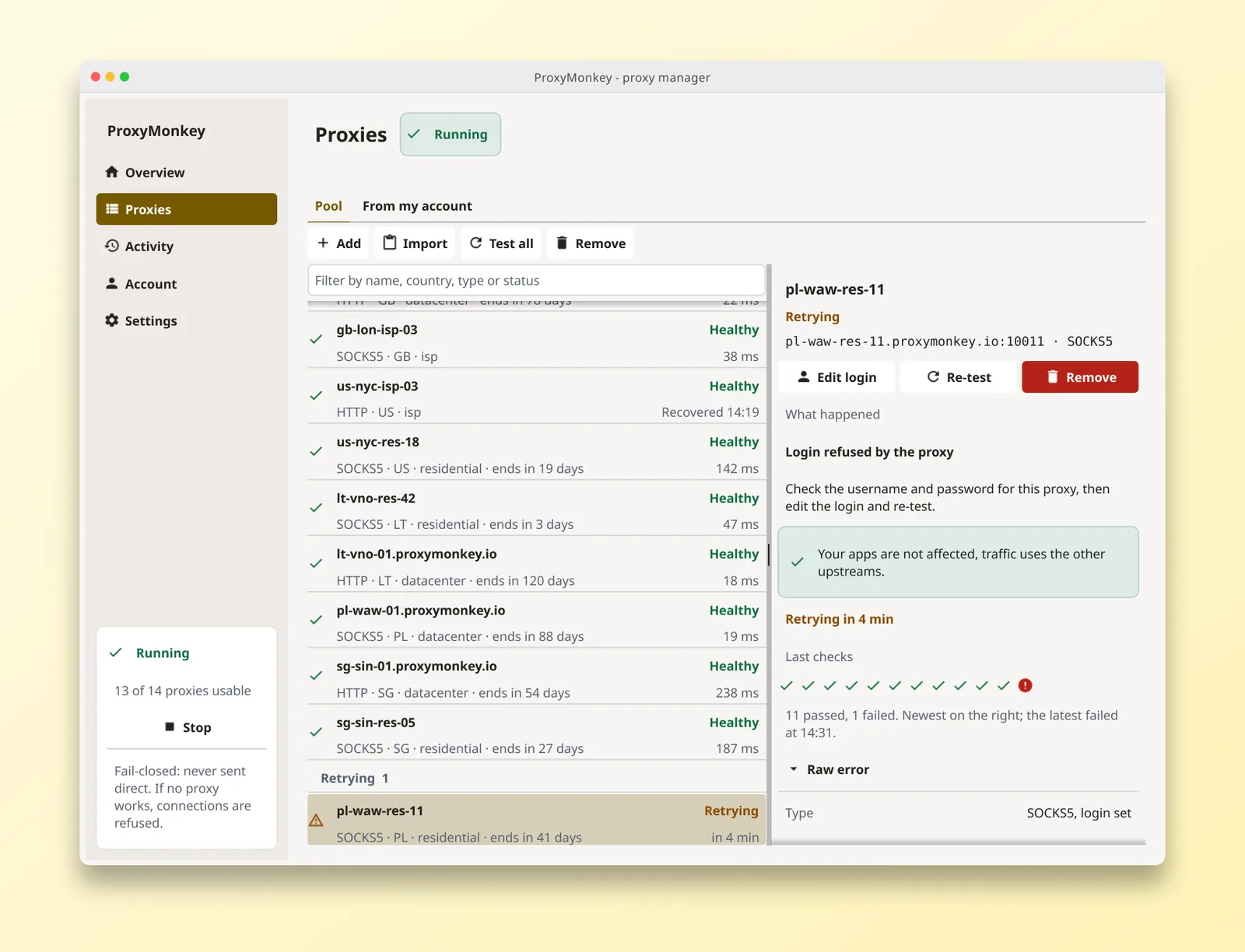
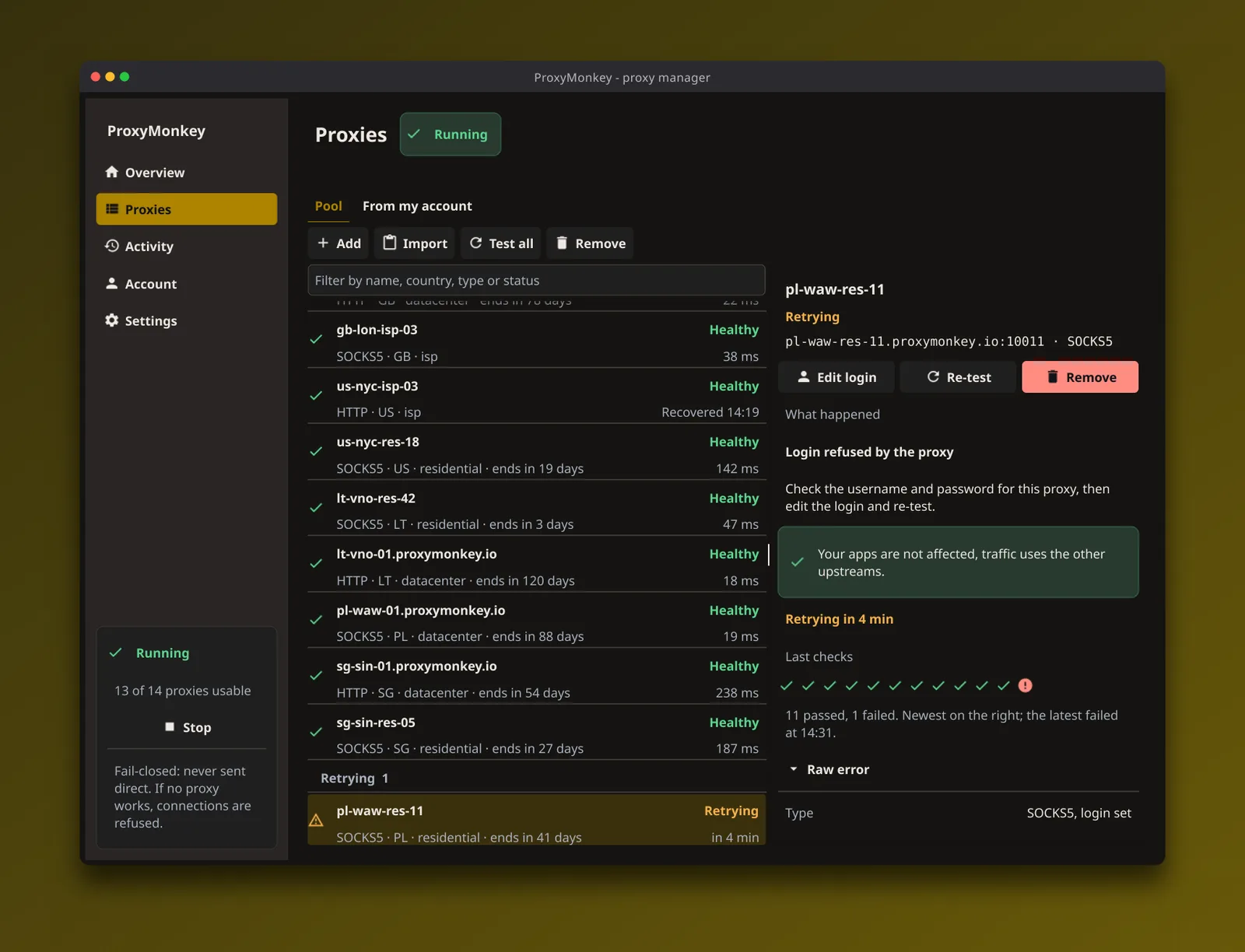
A proxy that fails is pulled out of rotation and retested on its own, waiting longer each time it keeps failing. Once it passes, it is back in. No restart.
Fails closed
If no proxy can take a connection, ProxyDesk refuses it. Nothing is ever sent direct, so a dead pool never hands your real IP to the site you were scraping.
Checked before it is added
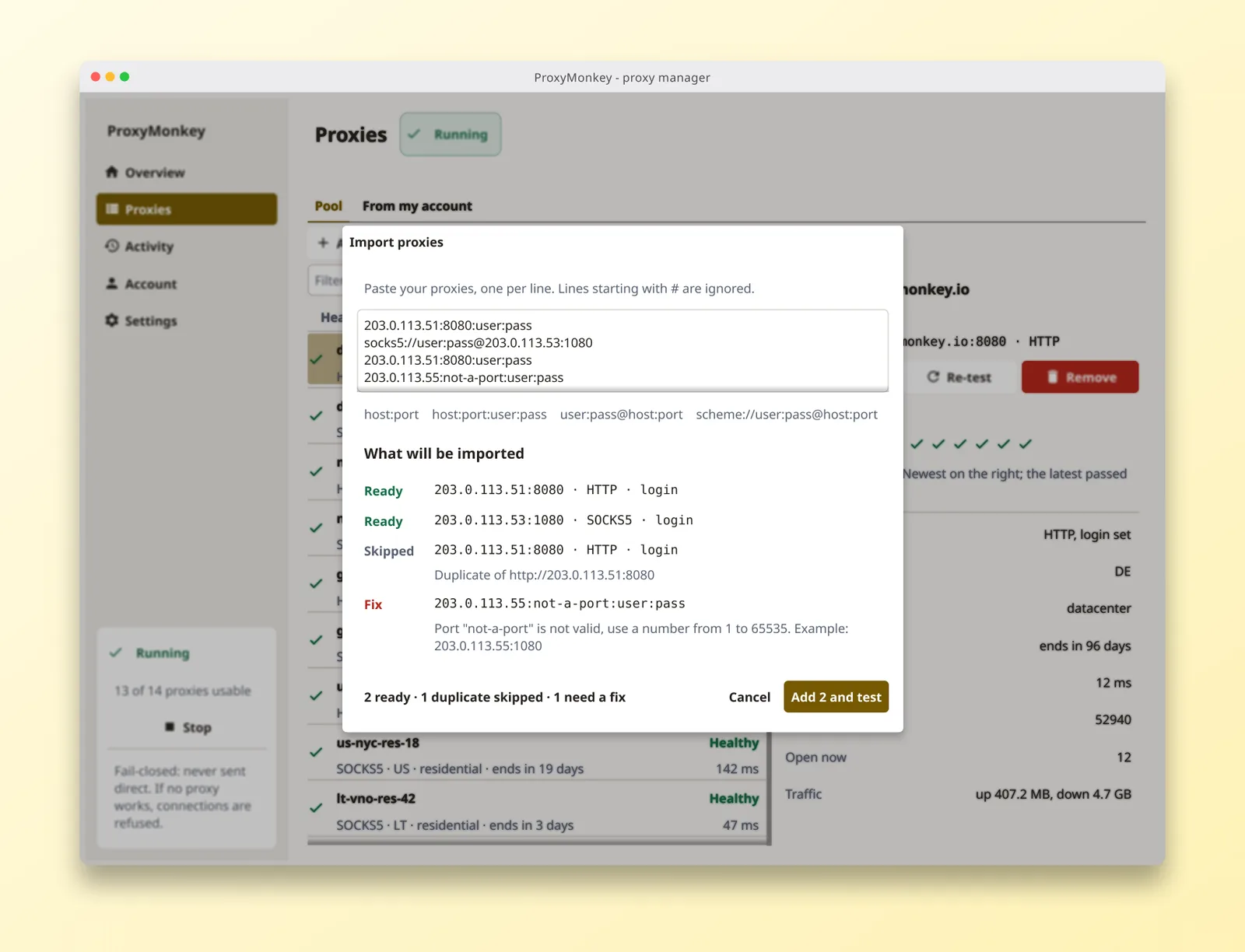
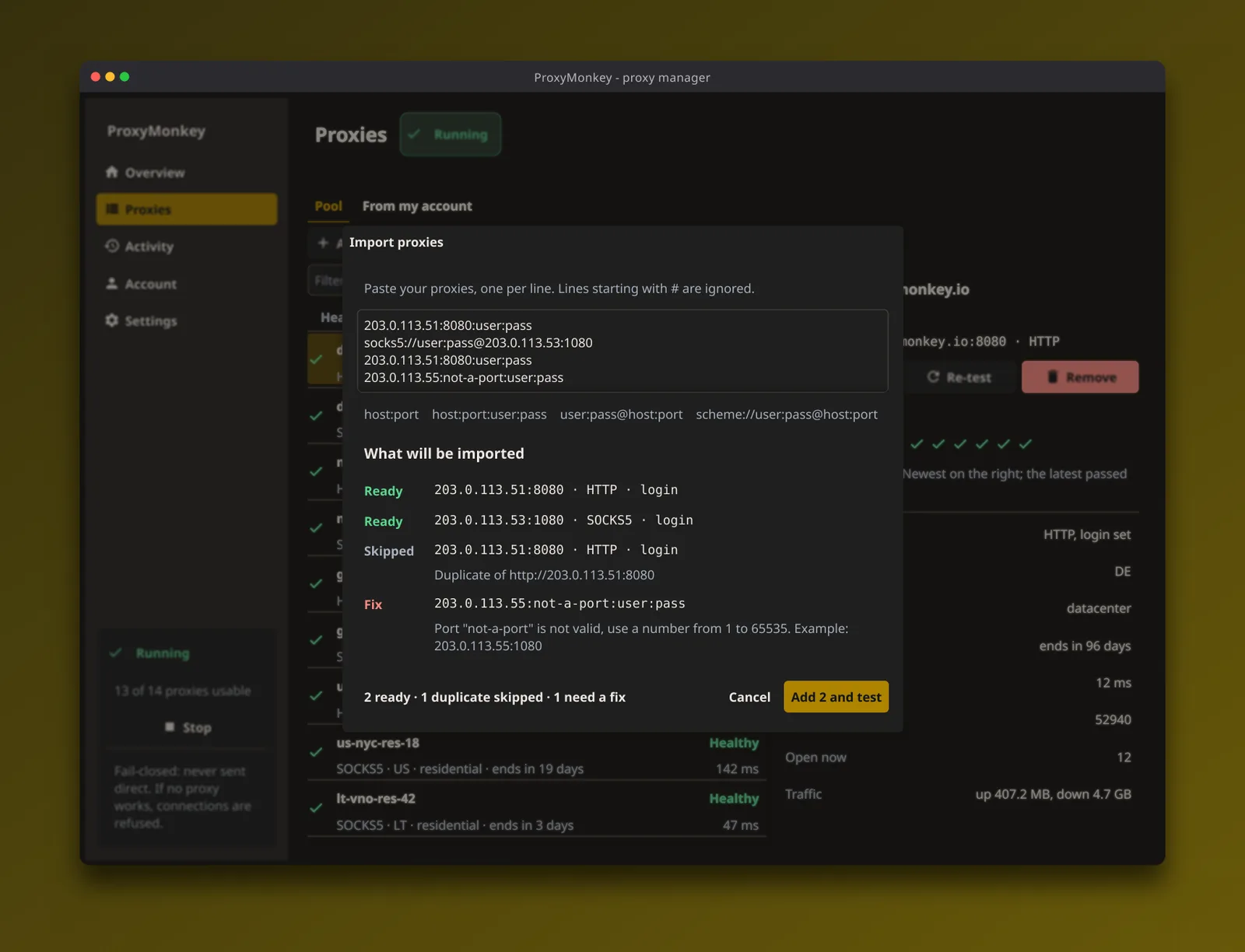
Paste a pile of proxies and see how each line was read: ready, duplicate or needs a fix. The good ones get batch-tested as they go in, with a report you can copy.
A log that leaves with you
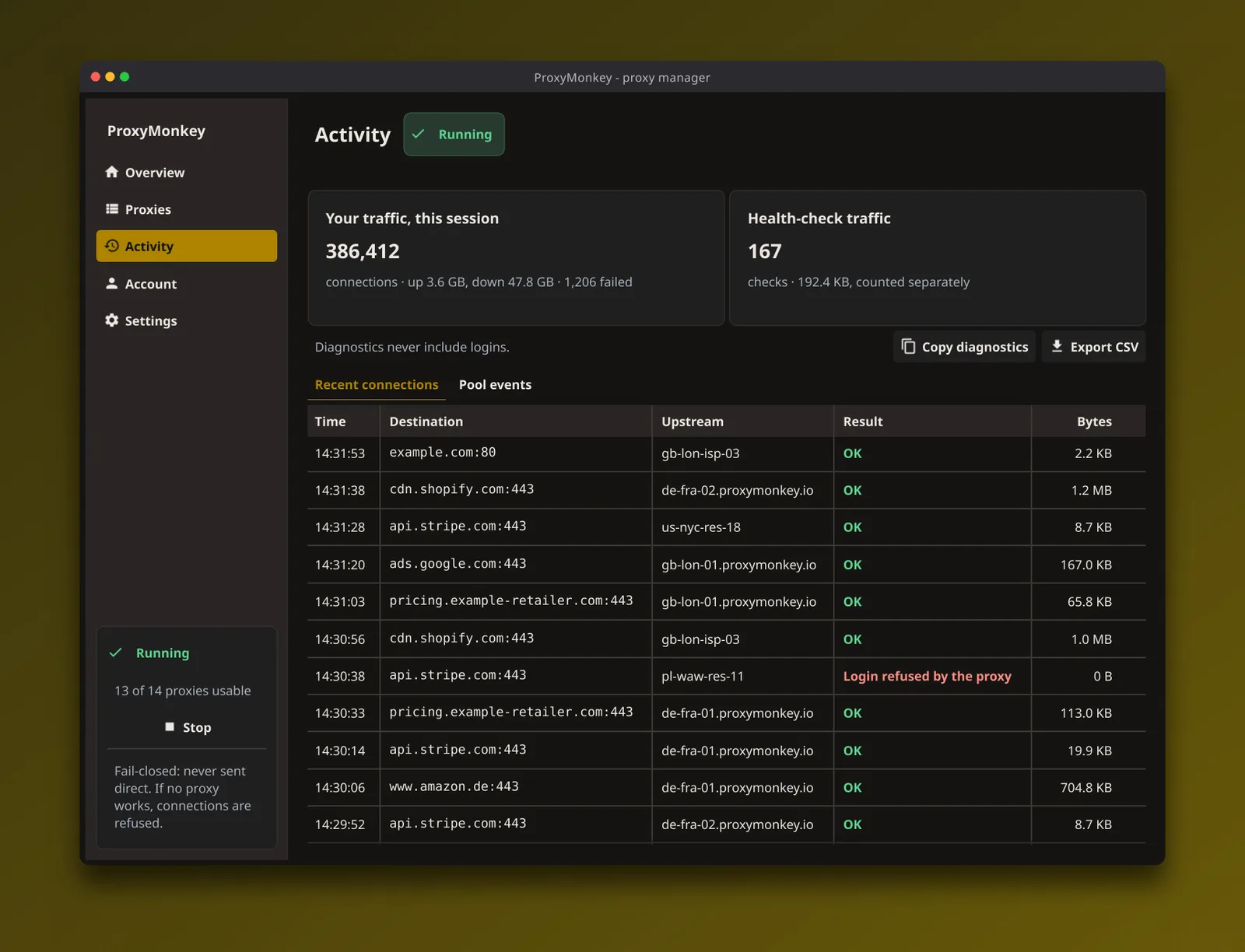
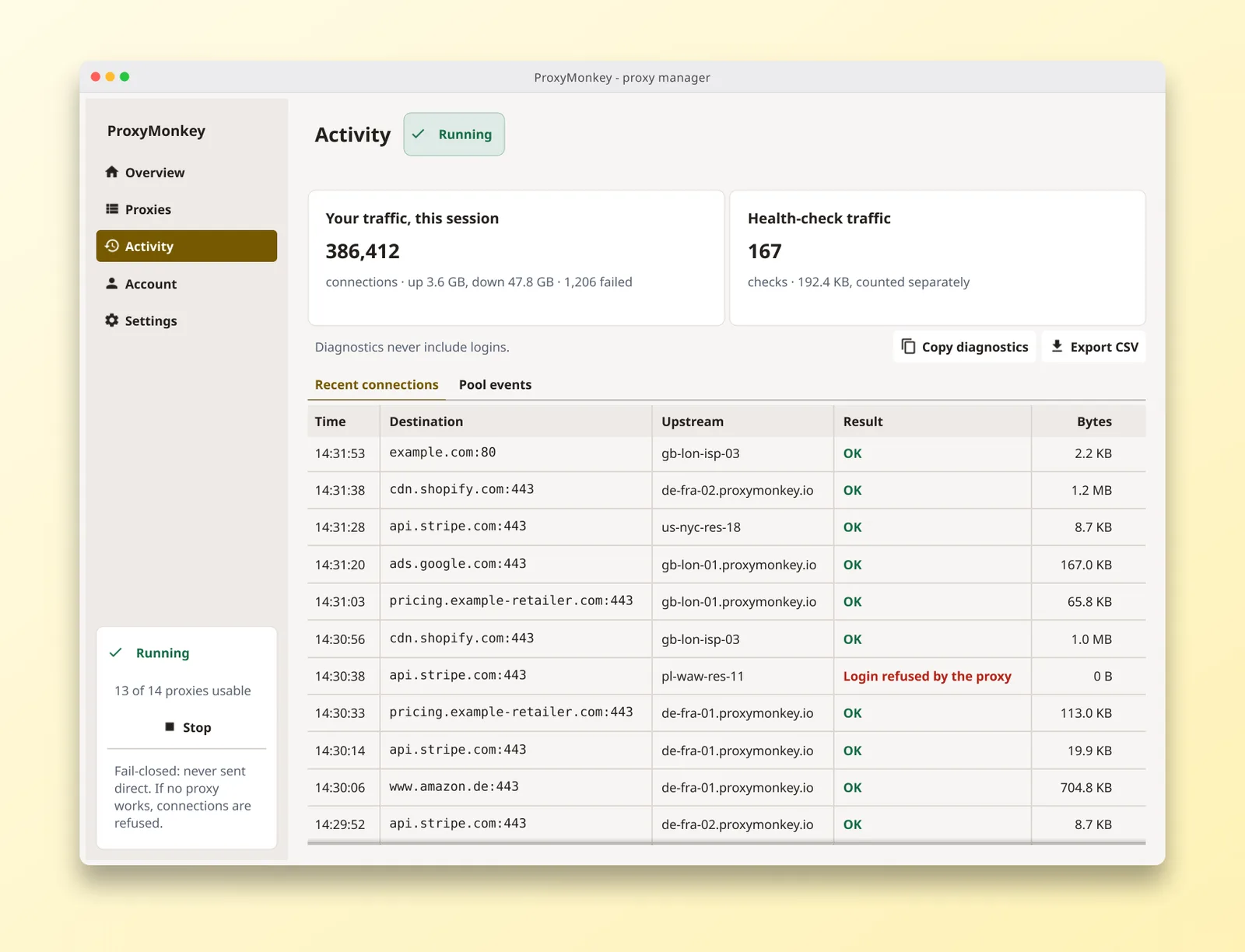
Recent connections, each with where it went, which proxy carried it, whether it worked and the bytes it moved. Export the lot as CSV.
Four steps, and the last one is a paste
Hold our meter up against your own count.
The Activity page counts what went through ProxyDesk on your machine: connections, bytes up and down, failures, with health checks in a separate pile.
It is not the bill. It is a second opinion you did not have to build, and it exports as CSV. Reading the export and lining it up with our usage log is in count your own requests; our side of the story is on how the meter works.
Every screen, in both themes
Sample data shown
Overview: addresses, snippets, pool
Proxies: who is healthy, who is benched
Import: checked line by line
Activity: your own byte count
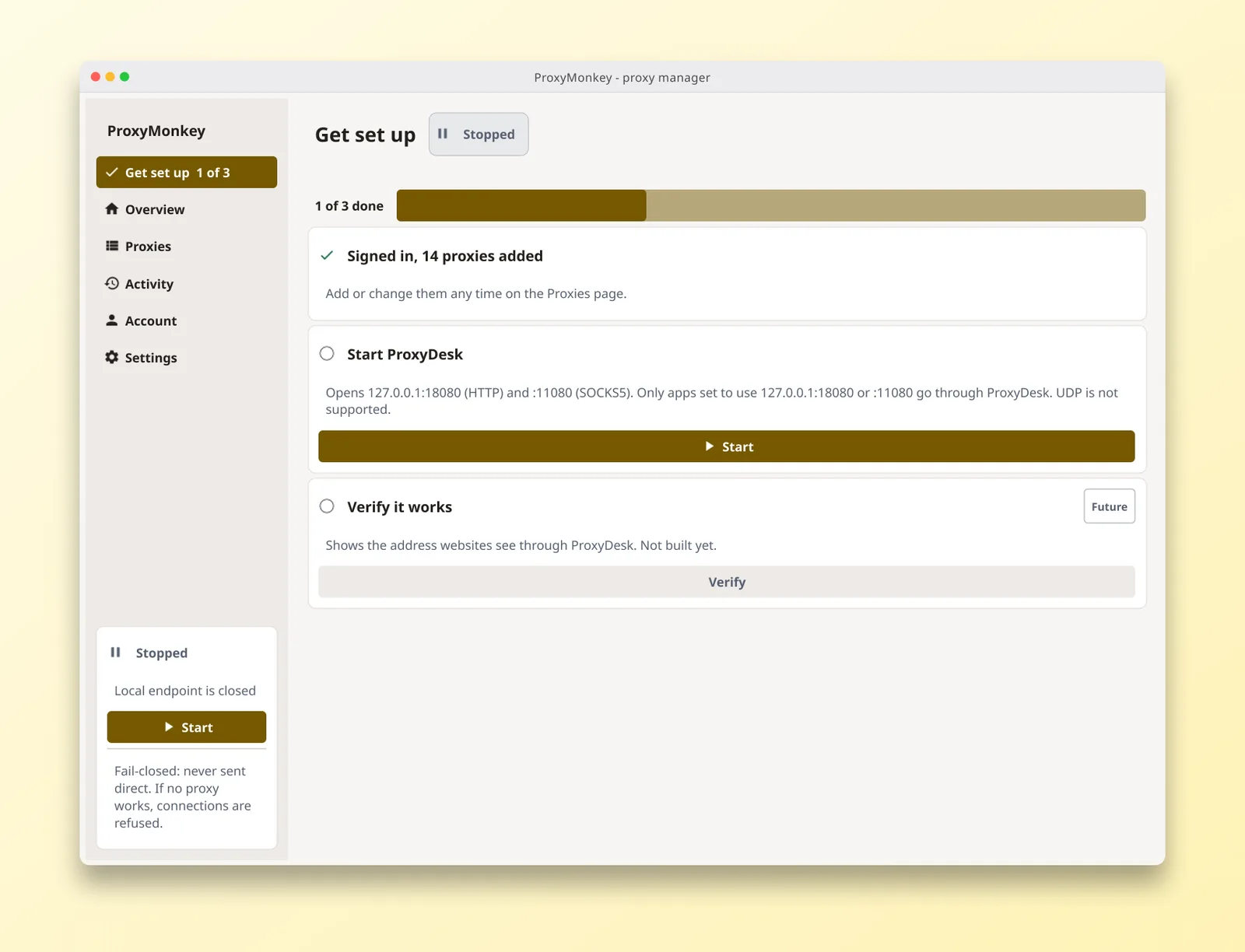
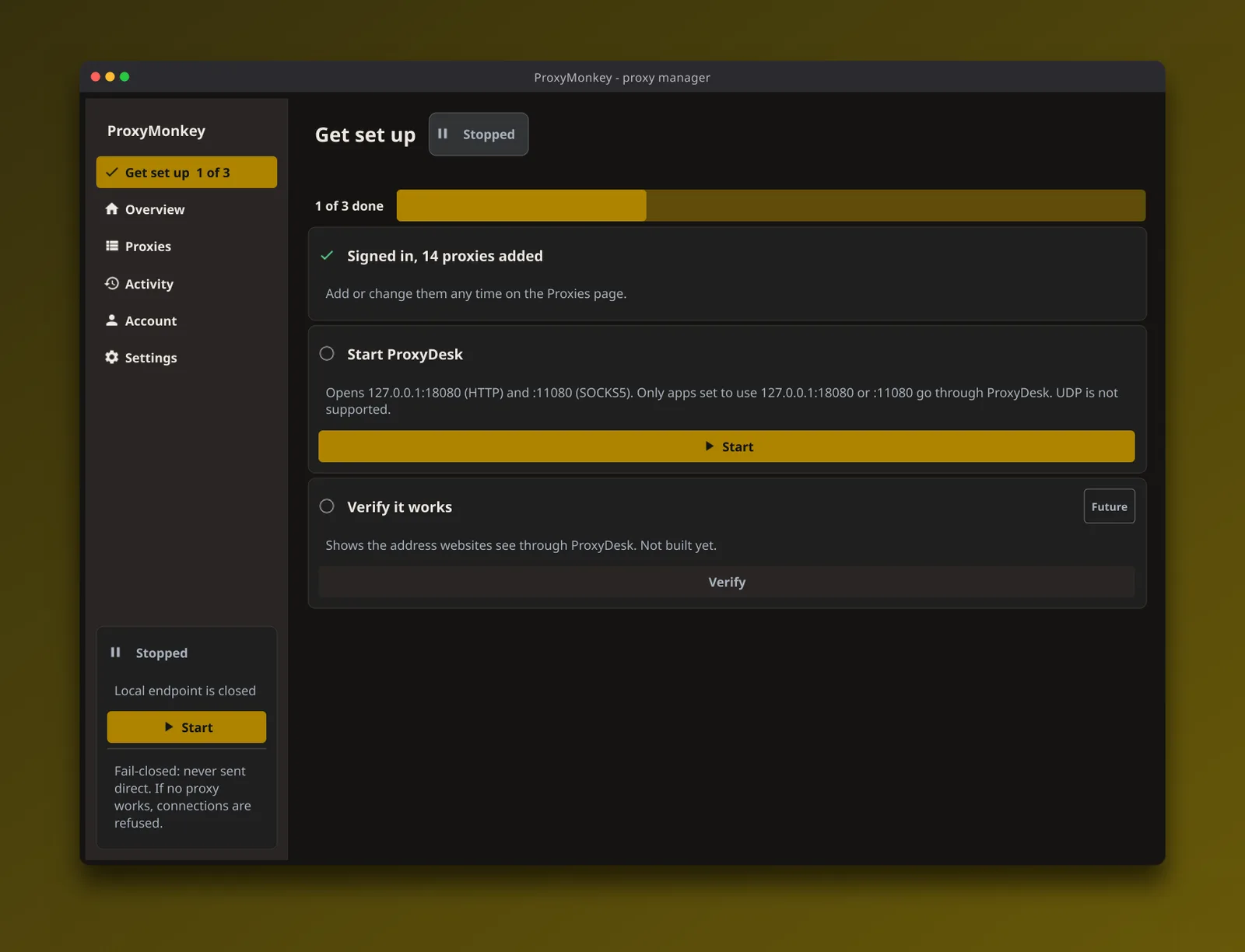
First run: three steps
Windows, Linux and macOS
Windows
The build is unsigned, so Windows warns you on first run.
Linux
A Linux build is in your dashboard.
macOS
Not notarized yet, so you approve it once: System Settings > Privacy & Security > Open Anyway.
Asked before anyone installs it
Will it put my whole machine behind a proxy?
No. Only the apps you point at its address use it. Everything else on your machine connects the way it always did.
What happens when every proxy is down?
Your requests fail. ProxyDesk never falls back to your own connection, so a bad night for your pool does not quietly put your real IP in someone’s logs.
Can my scraper keep one IP for a login session?
Yes. Set rotation to Stay on one proxy until it fails. The default is a new proxy for each connection.
Is the activity log my bill?
No. It is ProxyDesk’s own count of what went through it, made on your machine, with health checks counted separately. That makes it a handy second opinion next to the usage log in your dashboard. If the two disagree by more than protocol overhead, tell us in Discord.
Does it support UDP?
No. TCP only, over SOCKS5 and HTTP.
Why does my computer warn me about it?
The Windows build is unsigned, so Windows may warn you on first run.
The macOS build is not notarized yet, so macOS will not open it until you approve it, and only the first time. Open ProxyDesk once; macOS says it cannot verify the app and does not open it, so close that dialog. Then open System Settings > Privacy & Security, scroll to the Security section, find the message about ProxyDesk being blocked and click Open Anyway. Confirm with your password or Touch ID, open ProxyDesk again and choose Open.
We would rather tell you here than have you find out from a scary dialog.
Do I need a ProxyMonkey account?
To download it, yes: the builds are in your dashboard. After that you can sign in to load your proxies, or paste in ones you already have.
Grab it from your dashboard
Downloads live in your dashboard, so you always get the current build for your system. No account yet? Make one first.